Permissions
Ask only for what your app uses, and say why in one sentence. The person reads it before the app opens.
An app lists what it needs in app.json › permissions, each with a reason written for a musician:
"permissions": {
  "files": "Open the songs you choose and save the copies next to them.",
  "library": "Add the converted copies to your Library.",
  "network": {
    "why": "Download the separation model the first time you use it.",
    "hosts": ["github.com", "objects.githubusercontent.com"]
  }
}| Code | Covers |
|---|---|
files | ox.Files and ox.Folder controls, files next to the ones chosen, and ox.files on a page |
library | Adding to the Library: returning ox.sound, ox.midi or ox.file, and ox.library.add in Python and on a page. It doesn't show the app what is already there |
library-read | Seeing the Library on a page: ox.library.list, ox.library.file and LibraryDialog. Names and facts, never paths; a file only for a sound the person picks or the app added |
data | ox.data, the app's own private folder, in Python and on a page |
gpu | torch or onnxruntime running a model on the graphics chip (Metal on a Mac, CUDA on Linux). Optional: without it, or when the person says no, the same code runs on the CPU, so fall back rather than fail |
network | Reaching the listed hosts, and only those |
The exact words the person sees for each code are in the permissions reference.
library-read is new in Mixel 0.1.23, and needs mixel 0.3.5 or later.
What the person sees
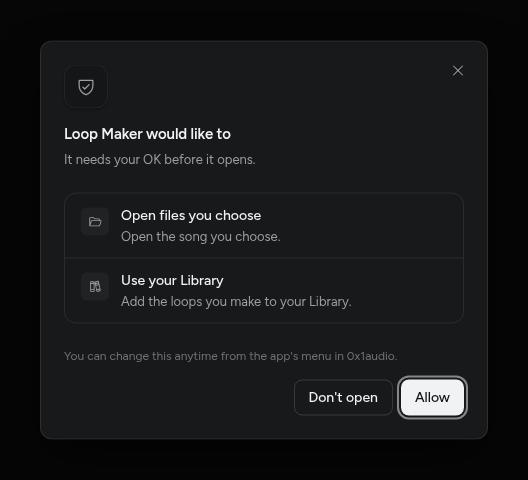
Before an app opens for the first time, Mixel shows what it would like to do, with your reason under each line. Nothing runs until they allow it, and they can change their mind later from the app's menu.
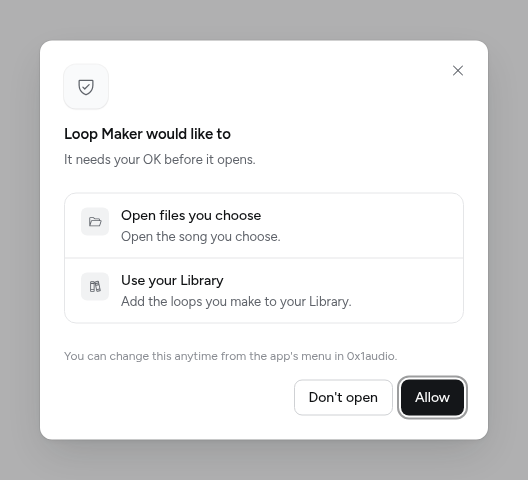
Declared is binding
Whatever app.json doesn't list is refused, without asking the person. There's no way to ask for more while the app runs. That keeps the sheet honest: what people allowed is everything the app can do.
mixel check reads your code and tells you when it uses something app.json doesn't ask for (permission_undeclared) or asks for something it doesn't use (permission_unused). mixel check --fix adds a missing code with a TODO: reason. Replace it with your own words, because mixel check --strict, and so publishing, won't pass a TODO.
Writing a reason
- One sentence, 12 to 120 characters, that says what the person gets: "Save the mono copies to your Library."
- Name their things: songs, sounds, files, your Library. Leave out how it works inside.
- Be specific about network use. "Download the vocal model once (300 MB)." tells them what to expect.
Network
network is the only permission that needs more than a reason. List every host the app reaches:
"network": { "why": "Download the model the first time you use it.", "hosts": ["github.com"] }The whole web (*), IP addresses and localhost are refused. A page's fetch reaches only these hosts.
What permissions cover today
Mixel enforces permissions on the app's page and on everything the app asks Mixel to do: files from the pickers, the Library, its data folder, network from the page. The app's Python code isn't yet walled off by the operating system. Until it is, review checks that the code keeps to what it declared, and mixel check flags code that runs programs or opens sockets.