A custom page
When the drawn form isn't enough, build a page with Vite, React and the design system. It calls the same actions.
Most apps never need one: Mixel draws a good form from your actions. Add a page when the tool needs something a form can't show, like a waveform to select from, or results to compare side by side.
A page is a small Vite + React app built to dist/index.html. It uses the design system Mixel itself is built with, and it calls your Python actions as they are.
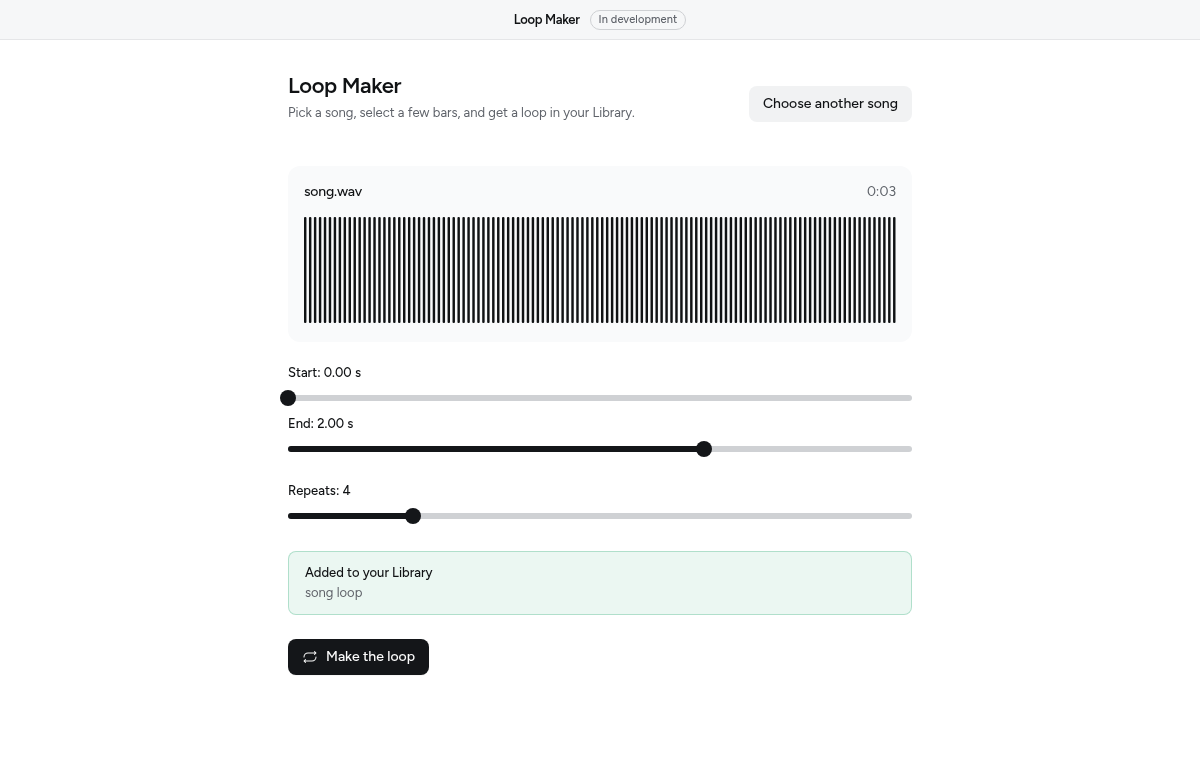
The design system isn't on npm yet
A page needs @ox1audio/sdk, which is on npm, and @0x1audio/design-system, which isn't yet. Until it is, build with the form Mixel draws, which is all most apps need. The rest of this page is what you'll write then.
Set up
Next to app.py, add these files, then install the page packages. base: "./" matters: Mixel loads the page from the app's folder, not from a web server.
{
  "name": "loop-maker",
  "private": true,
  "type": "module",
  "scripts": { "dev": "vite", "build": "tsc -b && vite build" },
  "dependencies": {
    "react": "^19.2.6",
    "react-dom": "^19.2.6"
  },
  "devDependencies": {
    "@tailwindcss/vite": "^4",
    "@types/react": "^19",
    "@types/react-dom": "^19",
    "@vitejs/plugin-react": "^5",
    "tailwindcss": "^4",
    "typescript": "^5.9.3",
    "vite": "^8"
  }
}
npm install
npm install @ox1audio/sdkimport tailwindcss from "@tailwindcss/vite"
import react from "@vitejs/plugin-react"
import { defineConfig } from "vite"
export default defineConfig({
plugins: [react(), tailwindcss()],
base: "./",
})<!doctype html>
<html lang="en">
<head><meta charset="UTF-8" /><title>Loop Maker</title></head>
<body><div id="root"></div><script type="module" src="/src/main.tsx"></script></body>
</html>@import "tailwindcss";
@import "@0x1audio/design-system/theme.css";import { createRoot } from "react-dom/client"
import { followSystemTheme } from "@0x1audio/design-system"
import { App } from "./App.tsx"
import "./index.css"
followSystemTheme()
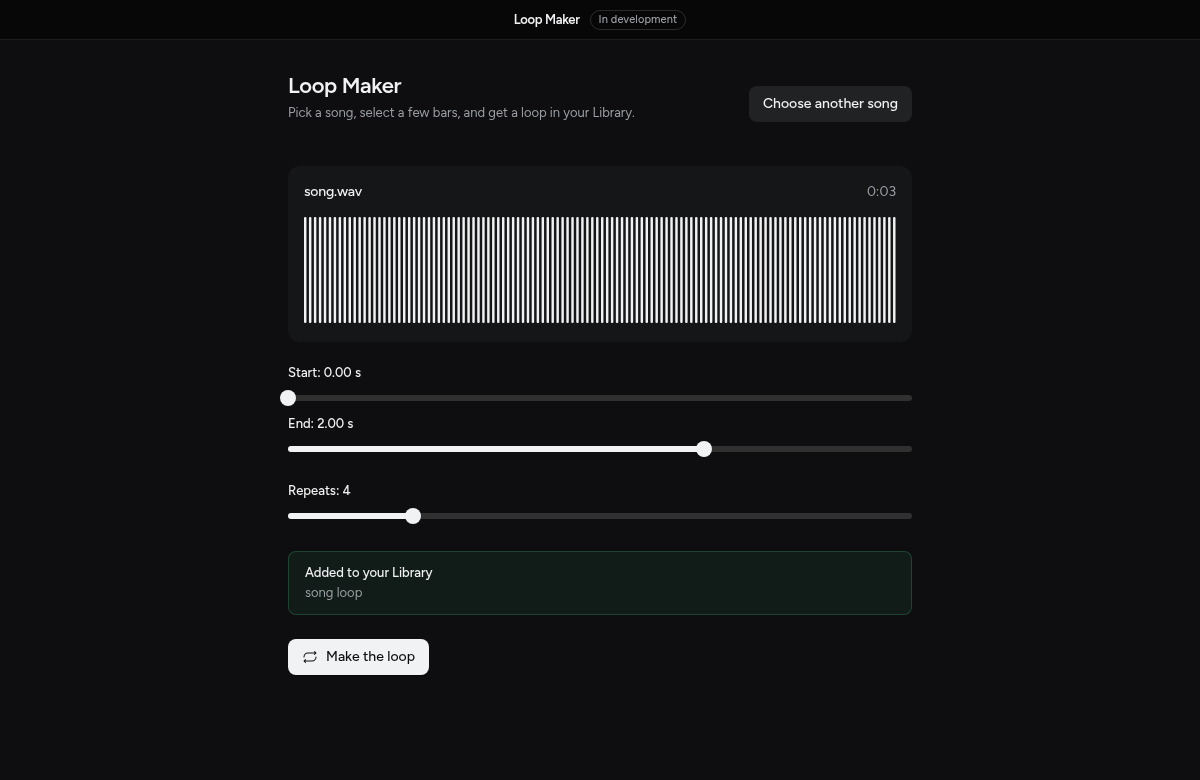
createRoot(document.getElementById("root")!).render(<App />)followSystemTheme() keeps the page in light or dark with the rest of Mixel. Then point app.json at the build, build it, and commit dist/:
"page": "dist/index.html"npm run build
mixel check
mixel devmixel dev reloads the page whenever dist/ changes, so keep npx vite build --watch running in another terminal.
Run an action
ox.run(action, input, options) runs one of your actions the way the form would: in the background, with the input checked against its controls first. This page picks a song, draws it, and makes a loop with the make_loop action from app.py:
import { useRef, useState } from "react"
import { ox, OxError } from "@ox1audio/sdk/page"
import { Button, Callout, EmptyState, PageHeader, Progress, Waveform, waveformFrom, type Wave } from "@0x1audio/design-system"

export function App() {
  const [song, setSong] = useState<string | null>(null)
  const [wave, setWave] = useState<Wave | null>(null)
  const [progress, setProgress] = useState<number | null>()
  const [message, setMessage] = useState<string | null>(null)
  const stop = useRef<AbortController>(null)

  async function choose() {
    const [path] = await ox.files.pick({ accept: "audio", multiple: false })
    if (!path) return
    setSong(path)
    setWave(await waveformFrom(await ox.files.read(path)))
  }

  async function make() {
    stop.current = new AbortController()
    setProgress(null)
    try {
      const made = await ox.run<{ items: { title: string }[] }>(
        "make_loop",
        { file: song, start: 0, end: 2, repeats: 4 },
        { onProgress: (fraction) => setProgress(fraction), signal: stop.current.signal },
      )
      setMessage(`Added ${made.items[0].title} to your Library.`)
    } catch (error) {
      if (!(error instanceof OxError && error.code === "cancelled")) setMessage(String((error as Error).message))
    } finally {
      setProgress(undefined)
    }
  }

  if (!song) {
    return <EmptyState title="No song yet" description="Choose a song to loop its first two seconds." actions={<Button onClick={choose}>Choose a song</Button>} />
  }
  return (
    <main className="mx-auto flex max-w-2xl flex-col gap-6 px-6 pb-8">
      <PageHeader title="Loop Maker" description="The first two seconds, four times, into your Library." />
      <Waveform label={song.split(/[\\/]/).pop() ?? ""} wave={wave} empty="Reading the song…" />
      {message ? <Callout>{message}</Callout> : null}
      {progress === undefined ? (
        <Button className="self-start" onClick={make}>Make the loop</Button>
      ) : (
        <div className="flex items-center gap-3">
          <Progress value={progress === null ? null : progress * 100} indeterminate={progress === null} />
          <Button variant="ghost" onClick={() => stop.current?.abort()}>Stop</Button>
        </div>
      )}
    </main>
  )
}
onProgress(fraction, label)gets eachox.progresscall;fractionisnullwhile the action can't tell.onEvent(name, body)gets eachox.emitfrom Python.- Aborting
signalpresses Stop. The promise rejects with anOxErrorwhosecodeiscancelled, andkeptlists what was already in the Library. - Sounds the action returns come back as
{ items: [{ id, kind, title, path }] }, already in the Library. Adictcomes back as it is.
Other failures are OxError too, with a code from Errors, like problem (from ox.Problem, with its hint).
To start from the form Mixel draws and build around it, render <ActionForm action="make_loop" />.
The page API
| Call | Does |
|---|---|
ox.run(action, input, options) | Runs an action |
ox.actions() | Lists the actions and their inputs |
ox.files.pick({ accept, multiple, folder }), fromDrop(file), read(path), reveal(path) | Files the person chooses or drops (files) |
ox.library.add / onChange | Adding to the Library (library) |
ox.library.list / file | Showing the person's sounds, and opening one they pick (library-read) |
ox.data.list / read / readText / write / remove | The app's own files (data) |
ox.app.open(href) | Opens another page of the app in a new window |
ox.available(), ox.unavailable() | Whether the page is open in Mixel. Outside it, unavailable() is the OxError every call would throw, with a message to show |
Nothing else on the page touches the computer, and fetch reaches only the hosts listed under network.
Design
Use only design-system components and colour tokens; review holds pages to this. One filled Button per view, for the main thing to do. Design the empty, working, done and error states, and look at the page in light and dark. The components reference lists what's there, and Design explains the rules.